Olmo Studio
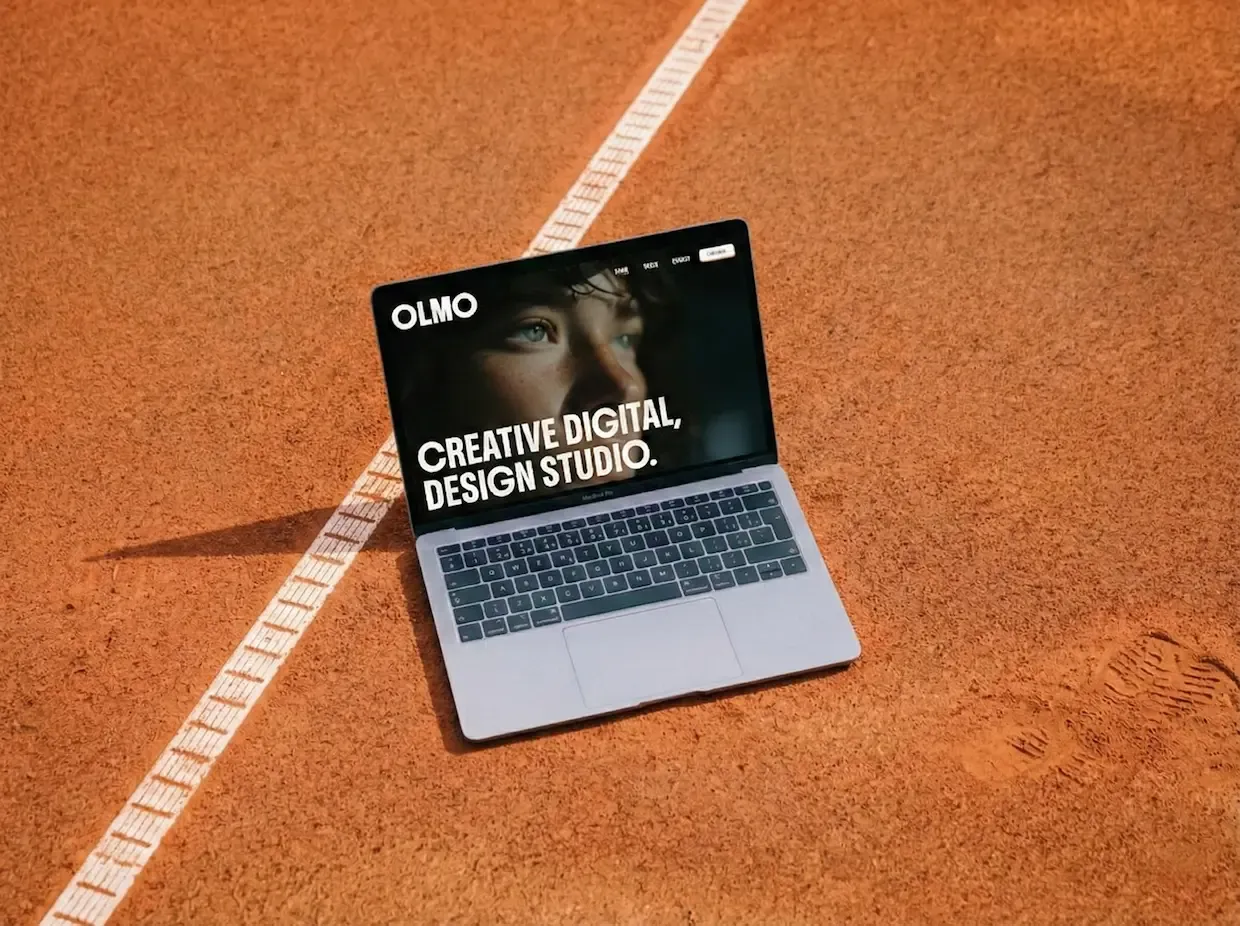
A modern digital studio template with cinematic animations and a polished design.
The Challenge
Digital agencies often face a frustrating paradox: they build beautiful websites for clients, but their own site is outdated, slow, or just doesn’t reflect the quality of their work. The brief for Olmo Studio was clear — build a template that makes an impression in the first three seconds, scales to showcase services and projects cleanly, and doesn’t require a developer on staff to keep updated.
The extra layer of complexity here was interactivity. This wasn’t just a static brochure site — it needed live-feeling components, smooth transitions, and a loading experience that set the tone before the user even saw the homepage.
Design Process
Olmo Studio was designed around one idea: cinematic first impression.
The loading screen wasn’t an afterthought — it was the starting point. From there, every design decision was made to extend that feeling of craft and intentionality:
- A hero section with a background video to establish mood immediately
- Clean, open layouts with generous whitespace to let the work breathe
- A light/dark duality — dark feature sections contrasted with light content areas
- Boldonse as the display font, pairing weight and personality with Inter’s neutrality
- Testimonials carousel and partner logos to build credibility at a glance
The services section got special attention. Rather than a simple list, each service links to its own dedicated page — giving agencies room to tell the full story of what they offer.
Technical Decisions
Olmo Studio introduced a key architectural shift from previous templates: React islands inside an Astro project.
| Tool | Why |
|---|---|
| Astro | Static-first with SSR — fast by default |
| React | Selective hydration for interactive components only |
| GSAP + Lenis | Cinematic scroll animations with buttery smooth movement |
| Tailwind CSS v4 | Rapid, consistent styling across all components |
| Zod + Resend | Type-safe form validation and reliable email delivery |
The React islands pattern was a deliberate choice — heavy interactive components like the testimonials carousel and mobile menu get hydrated on the client, while the rest of the page stays static HTML. The result is near-instant page loads without sacrificing interactivity where it counts.
The Result
Olmo Studio ships with everything a modern digital agency needs to launch:
- Six core pages — Home, Works, Studio, Services, Contact, 404
- Individual service detail pages via Content Collections
- Full-screen loading animation on first visit
- Hero section with background video support
- Sticky card stacking on the Works page
- Testimonials carousel
- Partner logos grid
- Work process timeline on the Studio page
- Automatic sitemap and SEO meta tags
- Legal pages out of the box
The loading screen and video hero consistently stand out as the details that make Olmo feel like a premium, custom-built site rather than a template.
Lessons Learned
Mixing Astro and React in the same project taught me a lot about where each tool belongs. The temptation early on was to reach for React components everywhere — it’s familiar, and the tooling is great. But keeping most components as Astro files and reserving React for genuinely interactive pieces made a real difference in performance and maintainability.
Hydration boundaries matter more than I expected. Deciding exactly what gets sent to the client — and what stays server-rendered — is one of the most impactful architectural decisions in an Astro project.
The loading screen also introduced timing challenges. Getting the animation to feel smooth while reliably hiding once all assets were ready required more iteration than expected, especially across different connection speeds.
What I’d Do Differently
Looking back, a few things stand out:
- Video fallback handling — The hero video needs a robust fallback for slow connections. A poster image alone doesn’t feel sufficient for a template at this level.
- Service page templates — Right now services use a single layout. Multiple layout options would give buyers much more flexibility without touching code.
- Animation preferences — I’d add a
prefers-reduced-motiontoggle from the start, both for accessibility and for users who simply prefer a quieter experience.